Structured Information Gathering
AI assistants ask 20 questions in a row and users check out. Designed structured input cards that give users agency, progress, and the ability to skip.
TL;DR
When AI assistants need detailed information, they default to serial questioning — and users disengage. Designed 7 specialized input cards (checklist, choice, rating, text, confirmation, datetime, file upload) that replace Q&A with structured interaction, giving users progress tracking, skip options, and control over the flow.
Overview
Context
The personal pain point
While optimizing my resume with Claude AI, I hit a wall: Claude generated 13 detailed questions about my work experience. Rather than answering in chat, I found myself copying all questions to Google Docs, answering each systematically, then pasting everything back.
This inefficient workflow revealed a fundamental UX gap: conversational AI is poorly suited for structured information gathering.
“I usually copy all questions to a Google doc, answer each of them, then copy and paste it back to the AI. It's tedious but I lose track otherwise.”
— Me, explaining my workaround
The Problem
Conversation breaks down at scale
As AI assistants become more capable, they increasingly need detailed context — resume optimization, project briefs, system configuration, diagnostic troubleshooting. The conversational paradigm breaks down when information requirements become complex.
Discovery
Finding I wasn't alone
While researching, I discovered Perplexity AI had already shipped a similar pattern — presenting clarifying questions as interactive button-based widgets rather than conversational text. This validated the problem was real.
Perplexity's button-based question interface — limited to multiple choice
Critical Insight
Perplexity's approach works for simple search refinement (low commitment, multiple choice), but breaks down for complex information collection (high commitment, detailed answers, multi-round). My opportunity: extend this pattern to handle richer, more structured information gathering.
AI Values
Designing for human-AI equity
This project is grounded in principles of human-AI collaboration. Rather than just improving usability, I aimed to restore fundamental values that conversational AI inadvertently violates.
Process
Design process
Problem Identification
Documented personal workaround (copying to Google Docs) and hypothesized this was a broader UX gap in AI interfaces.
Competitive Research
Discovered Perplexity's implementation, analyzed strengths/limitations, identified extension opportunities.
User Research
Created validation survey to test if other users experienced similar pain points and would value structured approaches.
Design Principles
Defined core principles grounded in AI collaboration values: transparency, agency, cognitive ease, predictability.
Interaction Design
Designed form widget with mixed input types, progress tracking, multi-round capability, and conversation integration.
Prototyping
Built interactive HTML prototype demonstrating entry point, form interface, partial submission, and save/resume flows.
Design principles
Make Information Needs Explicit
All questions visible upfront. No hidden requirements. Users see the complete landscape before committing.
Never Force Completion
Every question has a skip option. Partial answers accepted. Progress saved automatically.
Minimize Cognitive Overhead
Visual hierarchy, priority signals, progress tracking reduce working memory demands.
Enable Error Recovery
All answers editable. Previous rounds accessible. Mistakes fixable without restarting.
Bridge Structure and Flexibility
Form for efficiency, conversation for nuance. Seamless transitions between both.
The Solution
Structured form widget
An interactive form interface that presents AI clarifying questions with progress tracking, mixed input types, multi-round capability, and seamless integration with conversational flow.
Rather than a single monolithic form, the system decomposes information gathering into seven specialized card types — each purpose-built for a specific kind of input. The AI selects the right card based on the information it needs, and the conversation pauses until the user responds. This is tool-calling as UI: the AI invokes a structured widget, the user fills it, and the result flows back into the conversation.
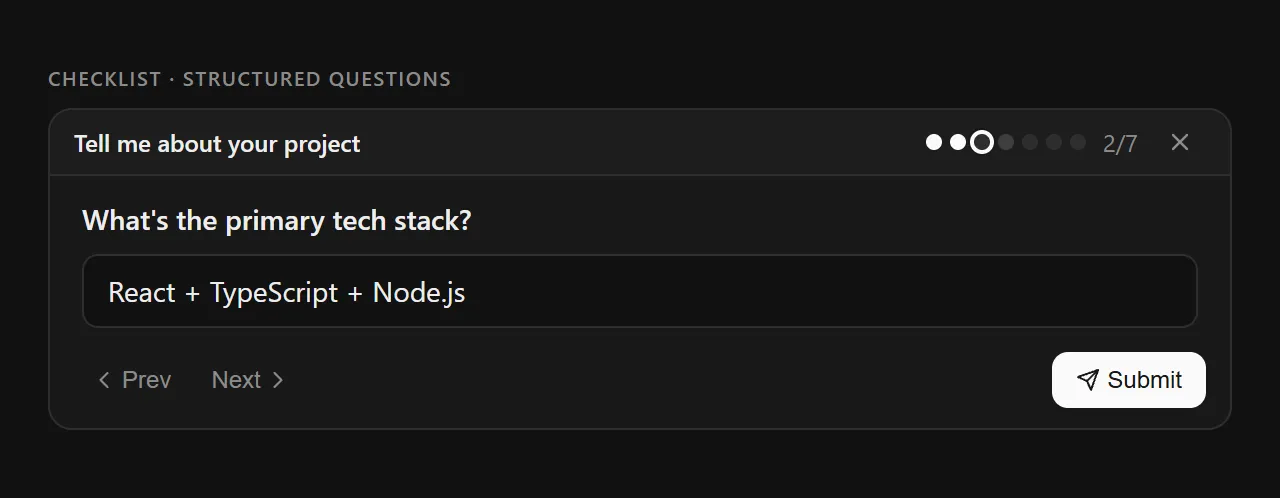
Checklist card in active state — 2 of 7 answered, with progress dots, navigation, and skip option
The seven input primitives
1. Checklist — Structured Multi-Question
The workhorse card. Presents a series of questions one at a time with progress dots showing answered (filled), current (ring), skipped (dim), and pending (empty) states. Users navigate freely with Prev/Next and can skip any question. A counter (“2/7”) provides explicit progress.
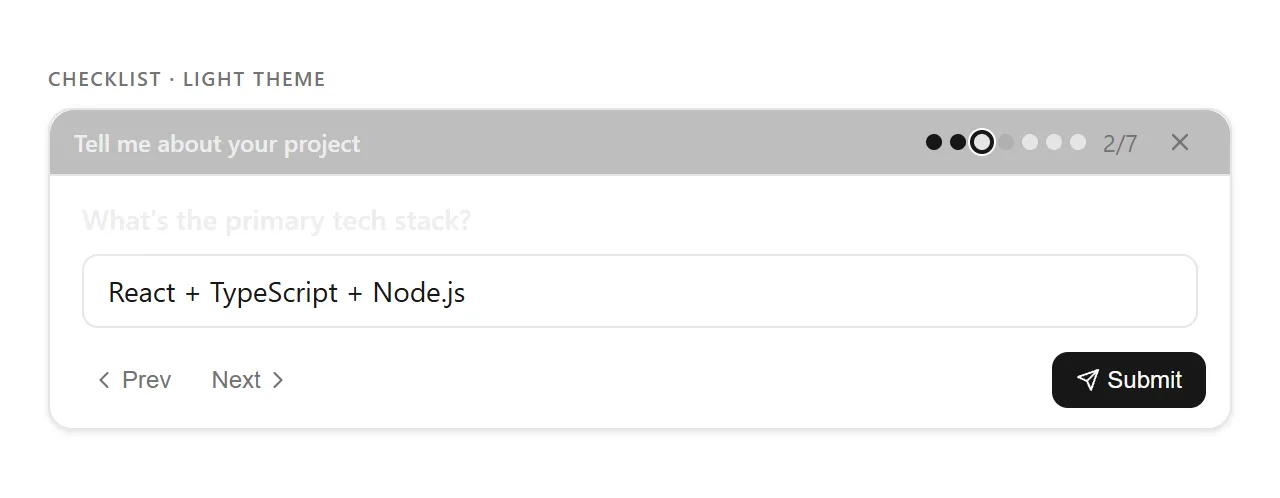
Dark and light theme variants
2. Choice — Single or Multi-Select
For decisions with discrete options. Supports single-select (radio behavior) and multi-select (checkbox behavior). Each option includes a label and optional description, with clear visual feedback on selection state.
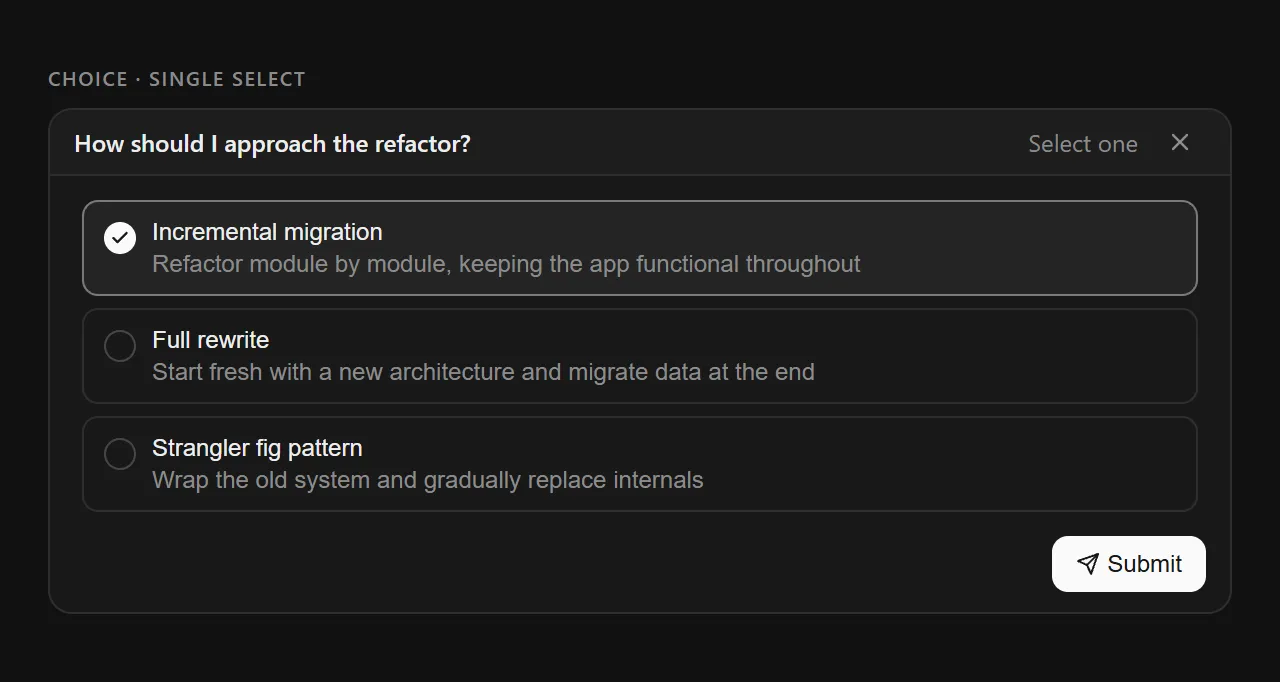
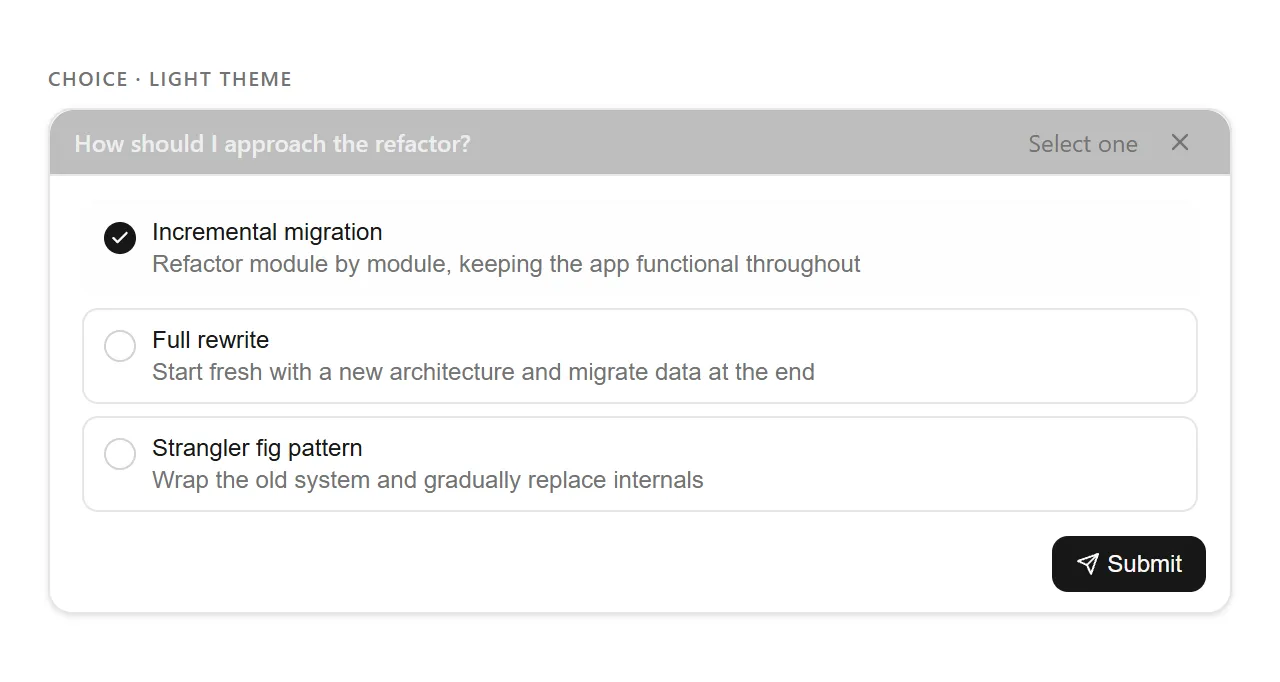
Selection mode indicated in header (“Select one” / “Select multiple”)
3. Rating — Star Feedback
For priority ranking, satisfaction scoring, or weighted input. Multiple items can be rated in a single card with configurable scales. The header shows progress (“2/4 rated”) mirroring the checklist pattern.
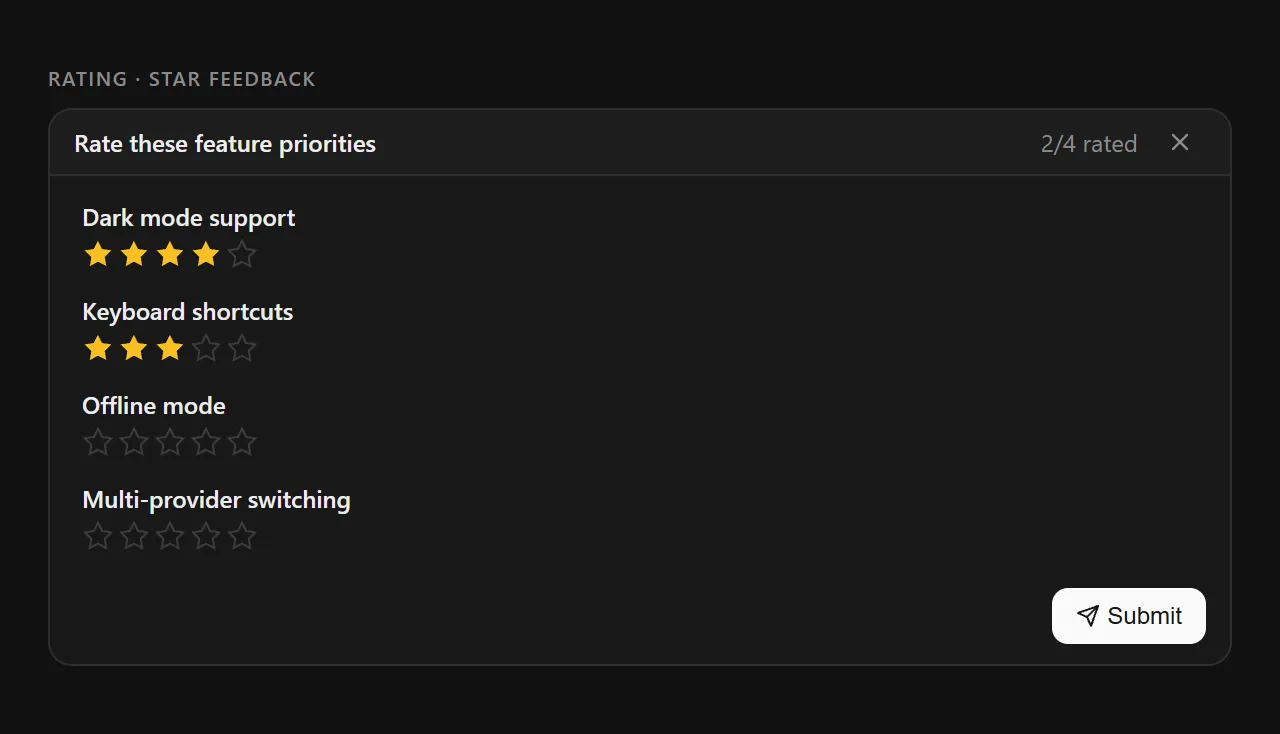
Amber-filled stars provide instant visual feedback
4. Text Input — Open-Ended Response
For free-form answers that don't fit structured options. Supports single-line and multi-line modes with appropriate keyboard shortcuts (“Enter” vs “Ctrl+Enter to submit”). Used when the AI needs narrative detail.
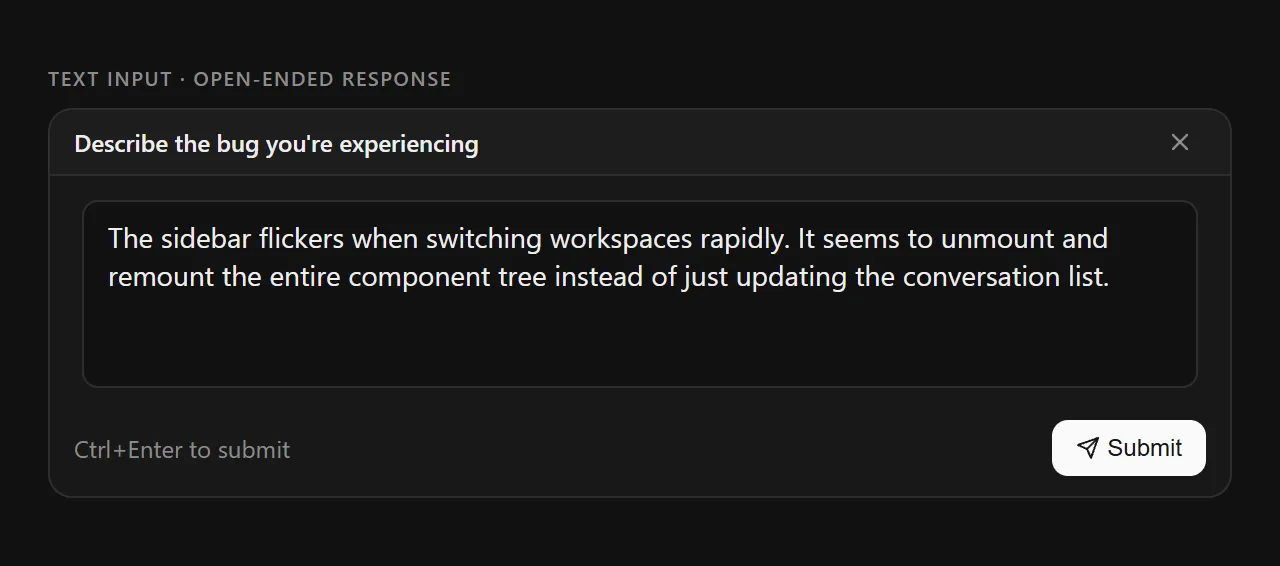
Multi-line mode with keyboard shortcut hint
5. Confirmation — Binary Decision
For yes/no gates: “Apply the suggested changes?”, “Proceed with deletion?”, “Use the default config?”. Custom labels, keyboard shortcuts (Enter = confirm, Escape = cancel), and an optional description for context.
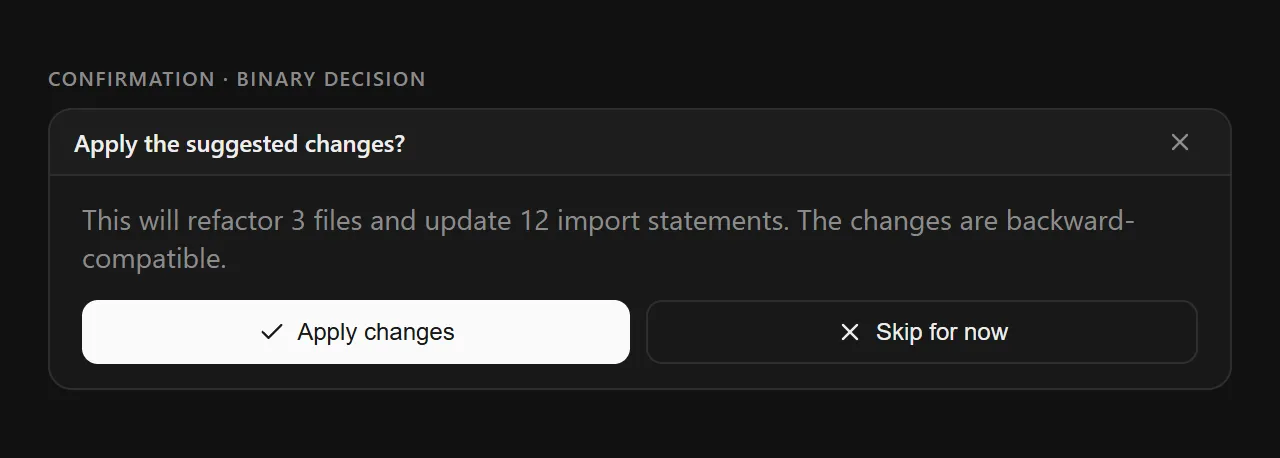
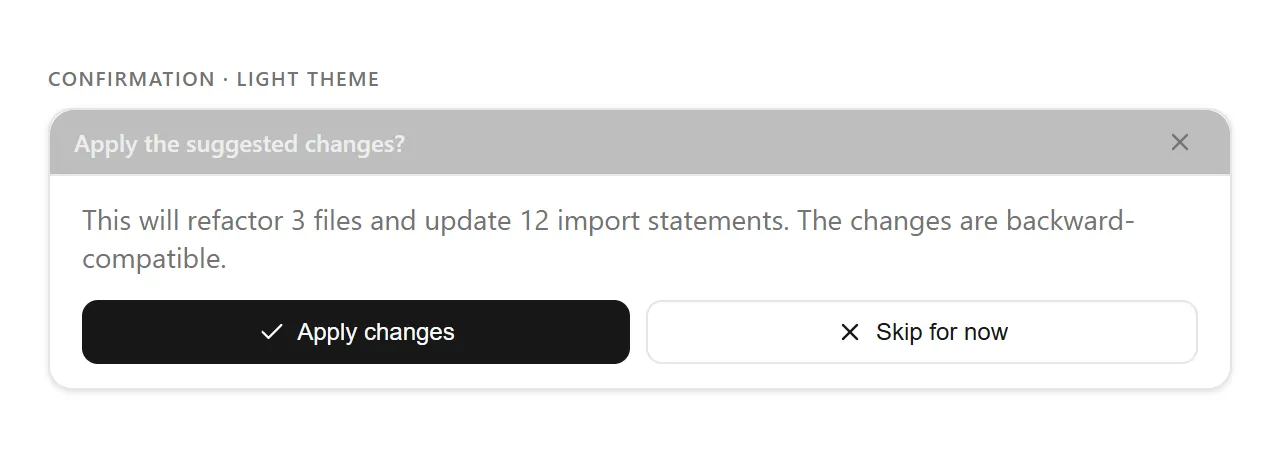
Custom action labels replace generic “Yes/No”
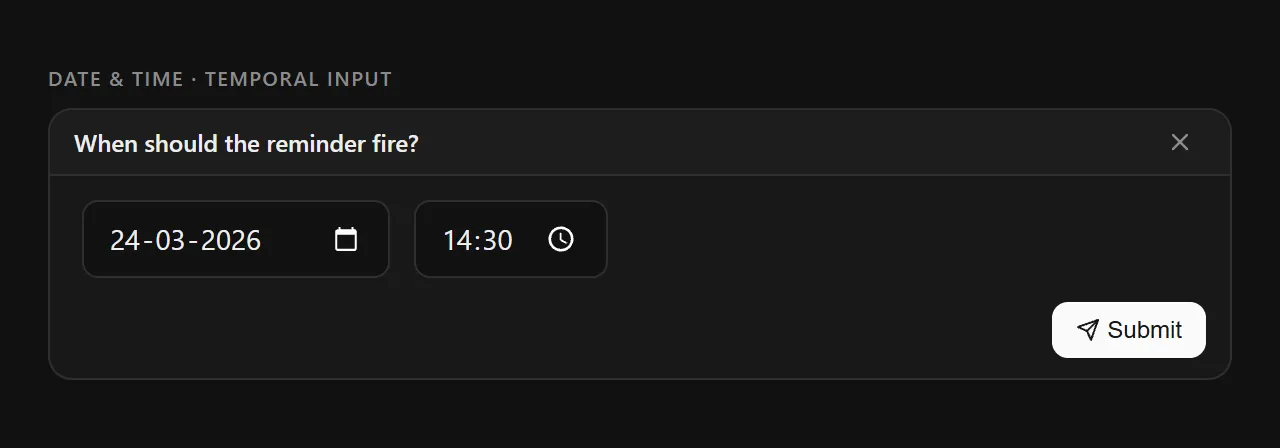
6. Date & Time — Temporal Input
For scheduling, deadlines, or time-bounded context. Supports date-only, time-only, or combined datetime modes with native platform pickers. Optional min/max constraints prevent invalid selections.
7. File Upload — Document Collection
For when the AI needs documents, images, or data files. Supports single and multi-file modes. Shows file type icons (image vs. document), allows removal of individual files, and uses a dashed-border upload zone as an affordance.
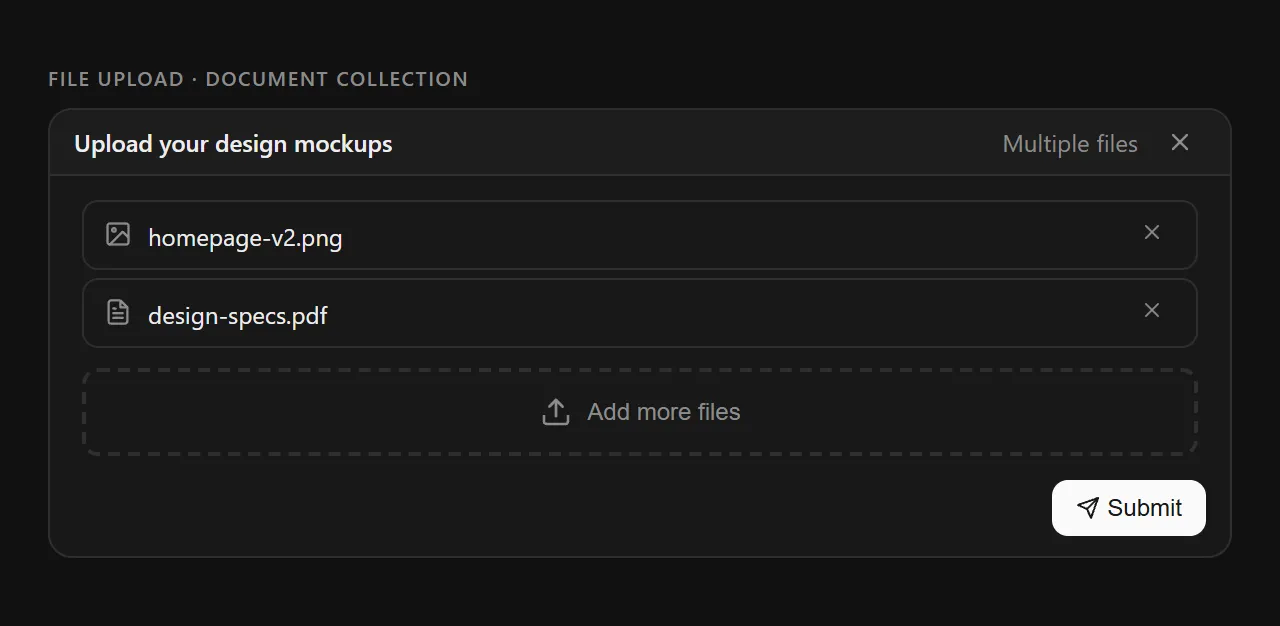
Uploaded files listed with type icons and individual removal
Consistent design language
All seven cards share a unified visual grammar, making the system feel cohesive regardless of which input type appears.
User Flows
Four paths through the widget
Structured Q&A
AI needs project context → invokes Checklist card with 7 questions → user navigates with dots, skips irrelevant ones → submits → AI processes structured answers
Decision Gate
AI proposes a change → invokes Confirmation card with context description → user reviews and chooses "Apply" or "Skip" → AI proceeds accordingly
Priority Ranking
AI needs to understand user priorities → invokes Rating card with feature list → user rates each with stars → AI weighs features by importance
Multi-Type Gathering
Complex task requiring different input types → AI chains Choice → Text Input → File Upload cards in sequence → each card type matched to the data needed
Results
From workaround to widget
This is a conceptual project, so I haven't measured production outcomes. Rather than claim metrics I don't have, here's how I'd measure success if it shipped — grounded in the competitive evidence that validates the direction (Perplexity shipped a similar pattern).
How I'd measure success
Task Completion Rate — % of multi-question flows completed
Time to Completion — First question to final submission
Answer Quality — % with sufficient detail for AI
Return Rate — % who save and resume vs. abandon
Workaround Usage — Reduction in copy/paste to external tools
Key learnings
Reflections
What I learned
This project emerged from a moment of frustration — copying Claude's questions to Google Docs — that revealed a fundamental tension in AI UX: how do we balance conversational flexibility with the structure needed for complex tasks?
What started as “I wish this was a form” evolved into a deeper investigation of AI values. The problem isn't just usability — it's about power dynamics in human-AI collaboration. When AI controls the flow entirely, users become passive respondents.
The most surprising discovery was finding Perplexity had already validated the core pattern. If a major AI company invested engineering resources into structured clarification, the problem is real and worth solving at scale.
Good AI product design isn't about making AI seem more human — it's about making collaboration more equitable.
If I could tell product teams at AI companies one thing:
“Your users are already creating workarounds for information gathering. They're copying your questions to external tools because your conversational interface doesn't support their actual workflow. Build better primitives for structured input, or watch users continue to build their own outside your product.”